
Introduction
As distance learning becomes a permanent fixture in the UAE education system, ensuring your child’s online safety has never been more important. With the rise in digital education, the need for parents to protect their children from online dangers is crucial. From potential exposure to inappropriate content to cybersecurity threats, the digital world can pose various risks for young learners.
In this guide, we’ll explore essential online safety tips for parents of children involved in UAE distance learning. We’ll cover everything from setting up parental controls to educating your child about digital responsibility, ensuring they thrive in a safe online learning environment.
- Setting Up Parental Controls: The First Line of Defence
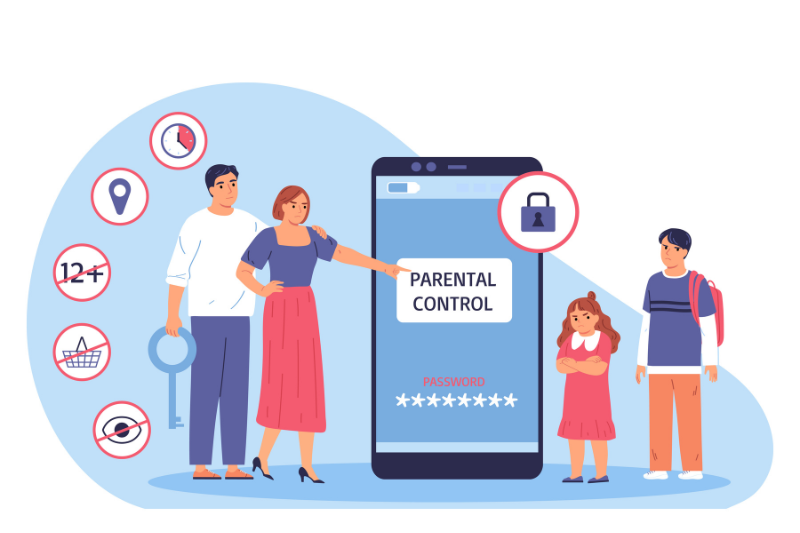
The first step in ensuring online safety is setting up parental controls. These controls are tools that allow you to restrict access to harmful content and set limits on the amount of time your child spends online. Most devices and operating systems come with built-in parental control settings, and there are also third-party apps that offer more detailed monitoring and blocking features.
For UAE parents, it’s crucial to understand how to use these features to protect their children during online classes. Here’s how you can set up parental controls on different platforms:
- On Android Devices: You can set screen time limits, restrict access to certain apps, and monitor online activity using Google Family Link.
- On Apple Devices: Apple’s Screen Time feature allows you to restrict the amount of time spent on apps, set content restrictions, and control privacy settings.
- On Laptops and PCs: Use software like Kaspersky Safe Kids or Norton Family to monitor online activity, block inappropriate sites, and limit screen time.
Setting these tools is vital to ensure your child’s digital environment is safe and appropriate for their age.
- Educating Children About Digital Responsibility
Education is key when it comes to online safety. Teaching your child about the risks of the digital world and encouraging digital responsibility is essential. Here are a few things to discuss with your child:
- Recognizing Inappropriate Content: Teach your child how to identify and avoid inappropriate content, including violent or explicit material, while browsing online.
- Understanding Privacy: Explain the importance of keeping personal information such as full names, addresses, phone numbers, and school details private. Emphasize the dangers of sharing personal data with strangers online.
- Cyberbullying Awareness: Help your child recognize the signs of cyberbullying and teach them how to handle such situations. Encourage them to report any incidents of bullying to you immediately.
- Respect for Others Online: Teach your child the importance of respecting others’ privacy and not engaging in harmful behaviour, such as trolling or spreading rumours on social media.
By educating your child, you empower them to make smart decisions online and use digital platforms responsibly.
- Establishing Screen Time Limits
Excessive screen time can have negative consequences on your child’s physical and mental well-being. As a parent, it’s important to establish screen time limits that promote healthy habits and a balanced lifestyle. Here’s how you can manage your child’s screen time:
- Use Screen Time Apps: Many devices and apps, such as Google Family Link and Apple Screen Time, allow you to set daily screen time limits for educational apps, games, and social media platforms.
- Encourage Breaks: Encourage your child to take breaks every 30-45 minutes of online learning. A short break allows them to rest their eyes, stretch, and refresh their mind.
- Promote Offline Activities: Balance online learning with physical activities. Encourage your child to engage in offline activities, like playing outside, reading books, or doing crafts.
Maintaining a healthy balance between distance learning and offline activities is key to fostering well-rounded, physically and mentally healthy children.
- Monitor Online Learning Platforms for Security Features
While most distance learning platforms in the UAE are secure, it’s essential to ensure that the platforms your child uses are safe and private. Here are a few things to check:
- Secure Communication: Ensure that the platform uses encrypted communication, especially for video calls and chat sessions. Zoom, for example, has settings that allow parents to lock meetings and restrict who can join.
- Privacy Policies: Before using any online tool, review the privacy policy of the platform to ensure your child’s personal information is being protected. Check if they share data with third parties and what information is being collected.
- Teacher and Parent Access: Make sure that the platform allows you to monitor your child’s activity. Some platforms offer parental accounts where you can track assignments, grades, and communication with teachers.
By staying vigilant about the security of your child’s online education platforms, you can ensure they have a safe and secure learning environment.
- Protecting Your Child from Cyber Threats
Cybersecurity is a major concern when children engage in online learning. Threats such as hacking, phishing, and malware can compromise your child’s safety and privacy. Here’s how to protect your child:
- Use Antivirus Software: Install reliable antivirus software on all devices your child uses for learning. Programs like Norton, McAfee, or Kaspersky offer features that block malware and malicious websites.
- Enable Two-Factor Authentication (2FA): For platforms that support it, enable two-factor authentication to add an extra layer of security to your child’s online accounts.
- Teach Safe Browsing Habits: Teach your child to avoid clicking on suspicious links or downloading files from unknown sources. Make sure they know the risks of downloading files and opening attachments in emails from unfamiliar senders.
- Foster Open Communication with Your Child
Maintaining an open line of communication with your child about their online learning experience is crucial. Here’s how you can stay engaged:
- Ask Regular Questions: Regularly ask your child about their experiences during online classes. This helps you stay informed about their learning progress and any issues they might be encountering.
- Create a Safe Space: Ensure that your child feels comfortable approaching you about any online safety concerns. Whether it’s a troubling interaction with another student or a security breach, make sure your child knows they can talk to you about it.
- Use Monitoring Tools: You can also use tools like Qustodio or Net Nanny to monitor your child’s online activity without invading their privacy. These tools allow you to set limits on screen time, block harmful content, and track online interactions.
By fostering open communication, you create a supportive environment where your child feels safe to share any issues they may face during their online learning journey.
- Educate Your Child About Social Media Safety
Many children and teenagers use social media platforms as part of their distance learning experience. Whether for communication with classmates or educational purposes, social media can pose several risks.
- Set Privacy Settings: Help your child set privacy settings on their social media accounts to limit who can see their posts and send messages. Most social media platforms like Facebook, Instagram, and Snapchat have robust privacy features.
- Encourage Responsible Sharing: Teach your child the dangers of oversharing personal information on social media. Encourage them to share only appropriate content and to avoid revealing personal details that could lead to identity theft or cyberbullying.
- Monitor Friendships and Interactions: Keep an eye on who your child is interacting with online. Encourage them to accept friend requests only from people they know personally and to report any suspicious activity.
Conclusion
Ensuring your child’s online safety during distance learning is not just about setting up controls and restrictions; it’s also about education and open communication. By teaching your child how to navigate the digital world responsibly, you empower them to make safe and smart choices.
At the same time, parents must stay vigilant and proactive about the digital tools and platforms their child is using. Whether it’s setting parental controls, fostering digital responsibility, or ensuring cybersecurity, every step you take will help create a safe, productive online learning environment for your child.
If you found this guide helpful, subscribe to our newsletter for more expert advice on online safety and tips for navigating the world of distance learning. Stay informed and ensure your child’s online education experience is safe, secure, and successful!
FAQs
You can ensure your child’s online safety by setting up parental controls, educating them about digital responsibility, monitoring their activity, and maintaining an open line of communication. These steps will help protect them from inappropriate content, cyberbullying, and other online risks.
There are several tools you can use to monitor your child’s online learning activities, including Qustodio, Net Nanny, and built-in parental control features on devices. These tools help you track screen time, block harmful websites, and monitor social media interactions.
Teach your child to recognize cybersecurity risks, such as phishing, suspicious links, and downloading malware. Encourage them to use strong passwords, never share personal information online, and report any cyberbullying incidents.
If your child needs to use social media for distance learning, ensure their accounts are set to private, and they understand the importance of online safety. Teach them how to engage responsibly and monitor their interactions to protect them from potential harm.